How to Change DP Photo Corners in GB WhatsApp
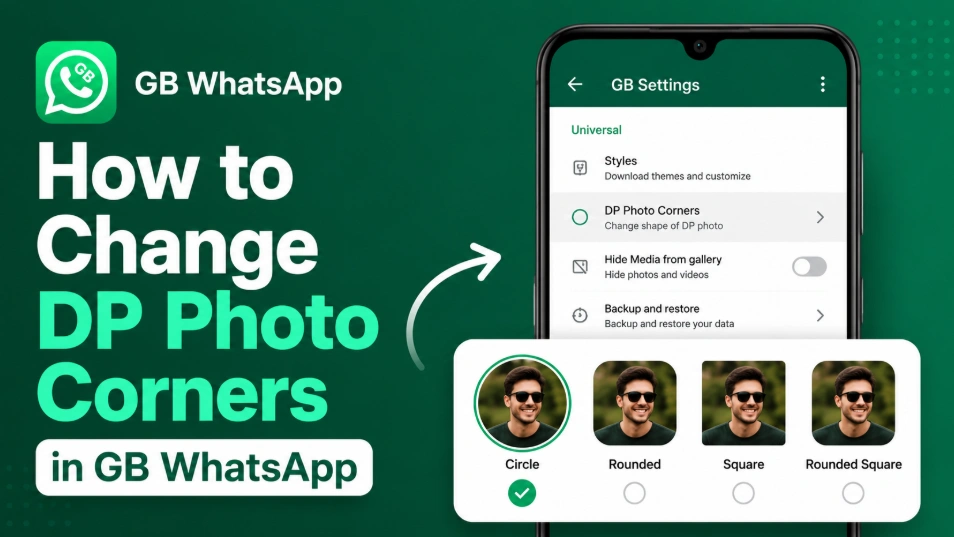
Want to give your GB WhatsApp profile a fresh look? Some versions of GB WhatsApp include a DP Photo Corners option that lets you change the shape of your profile picture. Instead of the default circular display, you can switch to rounded corners or other styles for a more personalized appearance.
What Are DP Photo Corners?
DP (Display Picture) Photo Corners is a customization feature available in certain versions of GB WhatsApp. It allows you to change how your profile photo appears in chats, contact lists, and your profile page.
Depending on your version, you may be able to choose from:
- Rounded corners
- Square corners
- Circular style
- Custom corner radius
How to Change DP Photo Corners in GB WhatsApp
Follow these simple steps:
Step 1: Open GB WhatsApp
Launch the latest version of GB WhatsApp on your Android device.
Step 2: Open GB Settings
Tap the three-dot menu in the top-right corner and select GB Settings.
Step 3: Go to Universal Settings
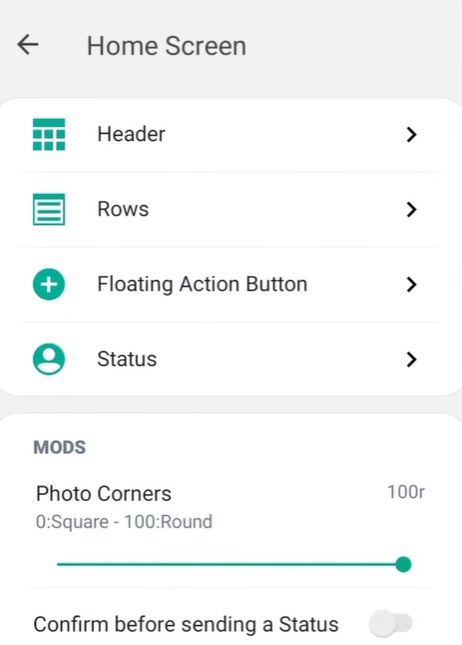
Open Universal or Home Screen settings. The menu name may vary by version.
Step 4: Find DP Photo Corners
Scroll down and tap DP Photo Corners.
Step 5: Choose Your Preferred Style
Select the corner style you like, then save your changes. Your profile picture will update immediately.
Why Can't I Find DP Photo Corners?
If the option isn't available, it could be because:
- You're using an older version of GB WhatsApp.
- Your current version doesn't include this feature.
- The setting is located in a different menu.
Updating to the latest version may restore the option.
Does Changing DP Photo Corners Affect Other Users?
No. This is a local customization feature that only changes how the app appears on your device. It does not change how your profile photo is displayed to people using the official WhatsApp app.
Frequently Asked Questions
Is DP Photo Corners available in every version?
No. Availability depends on the GB WhatsApp version and developer build.
Will changing the corners reduce photo quality?
No. It only changes the display style and does not affect the original image.
Can I switch back to the default style?
Yes. Simply return to DP Photo Corners and choose the default option.
Final Thoughts
The DP Photo Corners feature is a simple way to personalize GB WhatsApp without changing your profile picture. If you don't see the option, update to the latest version of GB WhatsApp and check the customization settings again.
Recommended Reading
Is GB WhatsApp Safe to Use? Security and Privacy Risks
Is GB WhatsApp safe to use? Learn about its security, privacy, account ban risks, APK downloads, and what to consider before installing it.
Read More
How to Recover Deleted Messages in GB WhatsApp (2026)
Recover deleted messages in GB WhatsApp by enabling the Anti-Delete Messages feature. View messages even after the sender deletes them.
Read More
Why Some GBWhatsApp Versions Stop Working Suddenly
Find out why your GBWhatsApp suddenly stopped working. We explain the common causes like forced updates, expired versions, and how to fix them.
Read More